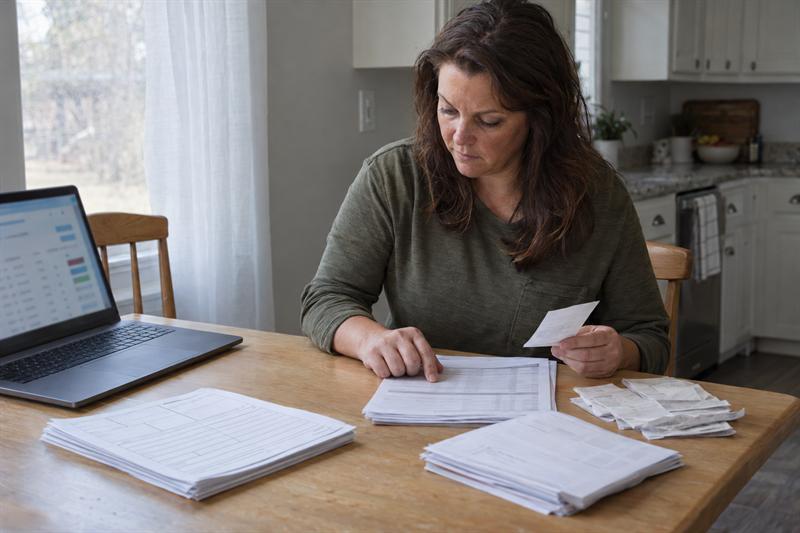

A card reader, a payment app, and a cash drawer can all bring in money in the same week. By filing time the three totals rarely agree, and the gap is usually not missing income. It is missing documentation. Clean payment processor tax records solve one part of that problem. App income and cash need their own handling, because each one leaves a different trail.
A form in the mailbox is a starting point, not proof that every dollar was captured. Third-party reporting describes what a processor, platform, or bank reports, not what a business actually took in. Closing that distance is a matter of routine more than software.
Why Some Income Never Arrives on a Form
Reporting rules follow whoever handles the money. A card processor or payment settlement entity may issue Form 1099-K, but the threshold for issuing one has changed more than once, so a form arriving or not arriving says little about whether all income was reported. Below that line, or outside the transaction types it covers, nothing is filed at all.
With several sources in play, the work overlaps with organizing 1099 and side-income records before tax season. The goal is the same: one record per source. The starting point is not. Instead of reconciling documents that already exist, the record has to be built where none was generated.
What a Payment Processor Record Should Show
Useful payment processor tax records start on the deposit side, not the sales side. A settlement report usually shows gross sales, the fees taken, refunds and chargebacks, and the date each payout landed. The amount in the bank is net of all of it. A deposit smaller than the sales log is therefore normal, provided the fee line explains the difference.
Payout timing is the second trap. A sale made on the last day of a month may settle in the next one, so a month-by-month comparison of sales against deposits will rarely balance without allowing for the lag. Keeping the settlement report beside the sales log makes that shift visible instead of mysterious.
The wider set of records worth keeping for tax purposes goes further than processor statements. A sales log, bank statements, and a running total of fees are what allow a processor report to be checked rather than trusted.
App Income That Mixes Personal and Business
A payment app is usually a personal account that also takes business money. Counting the whole balance as revenue overstates income, and the opposite mistake happens just as often: a client payment sits among personal transfers and never reaches the books at all.
The practical fix is separation at the moment of the transaction rather than at year end. A dedicated business account, or a tag on every business payment as it clears, keeps the record honest once memory has moved on. Most apps allow a note or a category on each payment, and exporting the history once a month is far simpler than reconstructing a year of it in April.
Cash Income Is Not Untraceable, Just Unrecorded
Cash generates no third-party report, which is why it is the source most often absent from a return. The usual reason is not concealment. Nothing prompted a record at the counter, so nothing exists to reconstruct later.
Three habits carry most of the weight. A daily total written down at close, even on a notebook page. A deposit on a set schedule, so the bank statement shows a pattern that can be matched to the sales log. And a copy of each register report or receipt batch filed with the deposit slip.
A deposit slip for a day’s takings and a log entry for the same amount are two independent records of one event, which is what makes cash defensible if questions come later. Irregular deposits, such as a lump sum every few weeks, leave a figure that cannot be checked against anything else.
Reconciling Deposits to Sales Without Guesswork
Once a month, three numbers deserve a side-by-side look: total sales for the period, total payouts from processors and apps, and total bank deposits. They rarely match exactly, and matching is not the point. Explaining the differences is. Fees, refunds, payout lag, and cash held back for change or small expenses each account for a specific gap.
That explanation is where payment processor tax records earn their keep. A payout report listing gross sales, fees, and net settlement turns an unexplained shortfall into a written line. Without it, a smaller deposit looks like missing income, and the search for it costs an afternoon.
Processing fees are an ordinary cost of doing business, and self-employed filers commonly record them as a business expense. That is why the fee total belongs in its own column rather than folded into a sales figure, where it would quietly shrink the revenue line and never appear as a cost at all.
A Monthly Routine That Keeps the Year Clean
The routine is short enough to finish in one sitting, and it holds up better on a fixed date than on whenever there is time.
- Download the processor settlement report and the app transaction history for the month.
- Total the sales log by source, including cash taken at the counter.
- Compare the three totals and write one line about each difference: fees, refunds, payout lag, or cash on hand.
- Tag any business payment in the app account that was missed during the month.
- File the statements, the log, and the reconciliation note in the same place.
One page per month is twelve pages at year end, and each one answers a question before it gets asked. A month that is skipped is not fatal, but a year that is skipped cannot be rebuilt from bank statements alone, because the bank record shows deposits rather than sales.
Pulling Twelve Months Into One Filing Package
At year end the package is a short, fixed set of documents: a sales summary by source, monthly deposit totals, a total for processing fees, the cash log, and a one-page note on anything that never reconciled.
The note is the part owners skip and the part that helps most. A gap that was noticed, investigated, and written down reads very differently from a variance discovered for the first time during preparation. It also shortens the conversation with a preparer, who can work from a summary instead of a shoebox.
Where Bookkeeping Support Fits
The monthly routine is the first task to disappear when a business gets busy, and a bookkeeper’s role is to keep the deposit side tied to the sales side so the reconciliation happens on a schedule. Much of that ground is covered in how bookkeeping supports your small business tax return.
For owners in Elizabethtown and nearby communities, bookkeeping services in Elizabethtown can take over the monthly downloads, the tagging, and the reconciliation note, so the owner reviews a summary rather than assembling one. Speedy Tax Preparation & Bookkeeping Service handles bookkeeping, payroll, tax preparation, and notary work from its office at 107 N Poplar Street, and the support continues through the year rather than ending in April.
Key Takeaways
Income that arrives without a clean form is still reportable, and the record of it is the filer’s to build.
- A processor report shows gross sales, fees, and payout dates; the bank deposit is net of all three.
- A payment app blends personal transfers with business payments unless the business side is marked as it happens.
- Cash needs a daily total and a scheduled deposit, because no third party will report it.
- A monthly comparison of sales, payouts, and deposits turns gaps into explained lines.
- One reconciled page per month is what makes the year-end package quick to assemble.
Conclusion
Most income problems turn out to be record problems. Card processors, apps, and cash each behave differently on paper, and each one needs a habit that matches how it pays. Speedy Tax Preparation & Bookkeeping Service works with individuals, families, and small businesses in Elizabethtown and nearby communities on exactly that groundwork, alongside tax preparation, payroll, and notary services.
The office has been locally owned since 1999 and takes bookkeeping, payroll, and tax questions throughout the year, so a deposit that looks odd in July does not have to wait until filing season to be sorted out. The address is 107 N Poplar Street, Elizabethtown, NC 28337.